
ZIP extractor
ZIP extractor for Windows
Select ZIP files in File Explorer, press Alt+E, and extract them on your PC - a tray-resident ZIP extractor for Windows 10 and 11, not an online unzip tool.
How it works with EasyUnZip
Select ZIP files in File Explorer
Click one .zip, or Ctrl-click a handful. EasyUnZip reads the Explorer selection - you do not open the archives one by one or drag them into another window.
Press Alt+E
The floating panel opens already listing those ZIP files. It stays in the tray when idle; the hotkey is the way in, and you can change the combination in Settings.
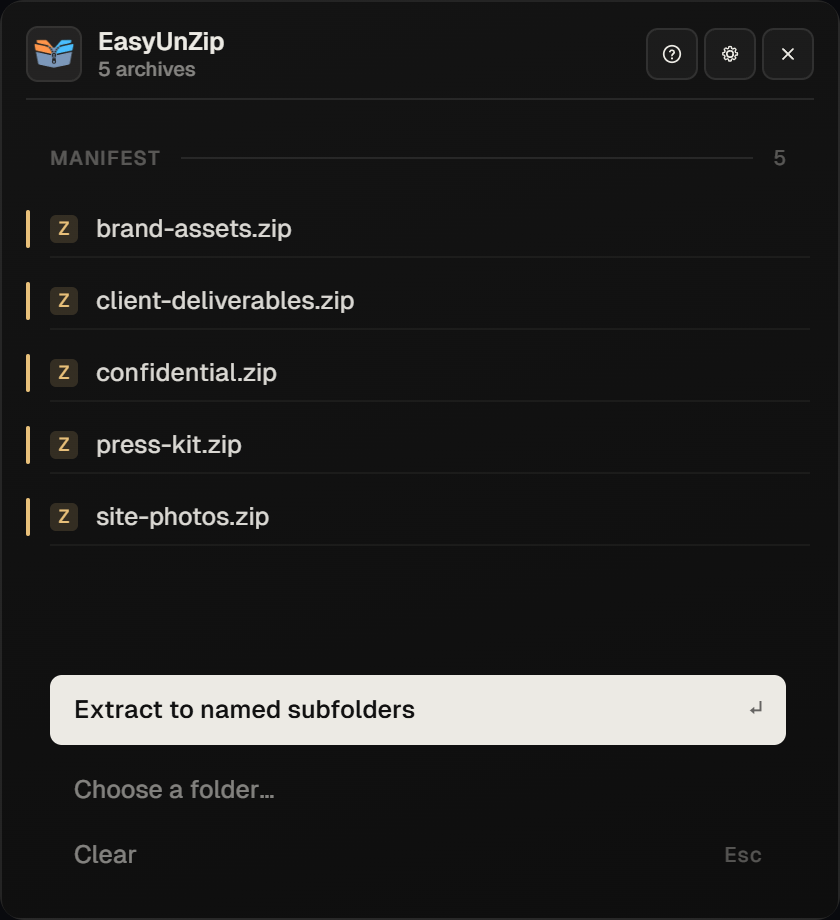
Choose where the files land
Extract beside each archive, into a named subfolder, or into any folder you pick. Optional: filter by file type so only the JPGs or PDFs come out, and set overwrite, skip or rename if names collide.
Extract and get out of the way
Press Enter. Files write to disk on your PC - nothing uploads to a browser. A quiet toast confirms, and the panel closes itself.
Why use a dedicated ZIP extractor on Windows
Windows can open many ZIP files already. A dedicated ZIP extractor for Windows earns its place when you do this often: several archives at once, password-protected ZIPs, only certain file types, or a destination that is not the folder beside the archive. EasyUnZip is built for that daily friction - extract only, ZIP and RAR only, Windows only.
What you get with the trial
The download is the full app for 14 days. After that, one payment of $9.99 unlocks it for good on up to three PCs. See pricing, supported formats, and the Windows 11 unzip guide if you want the built-in steps first.
Common questions
Is EasyUnZip a ZIP extractor for Windows only?
Yes. It runs on Windows 10 and 11, 64-bit. There is no macOS or Linux build, and no web version. Extraction is local on your machine.
Does it only open ZIP, or RAR as well?
Both. ZIP and RAR use the same hotkey and panel. It does not open 7z, TAR or GZ, and it does not create or compress archives.
How is this different from File Explorer Extract All?
Explorer handles one ordinary ZIP at a time. EasyUnZip adds a global hotkey, batch selection, per-job destinations, extension filters, password prompts held in memory, and conflict policy when files already exist.
Can I try it before paying?
Yes. 14 days with everything working, no card and no account. After that a key costs $9.99 once and never expires.
Will my ZIP files leave my PC?
No. Extraction never uploads archives or file names. Licensing only sends a hashed machine identifier and your key when you activate.