
RAR extractor
RAR extractor for Windows
Extract RAR on Windows 10 and 11 with the same Alt+E hotkey you use for ZIP - local extraction on your PC, including password-protected archives Explorer will not open.
How it works with EasyUnZip
Select .rar files in File Explorer
Highlight one RAR or a mixed selection of RAR and ZIP. EasyUnZip treats both the same way - no second tool and no plugin to install for RAR.
Press Alt+E to open the panel
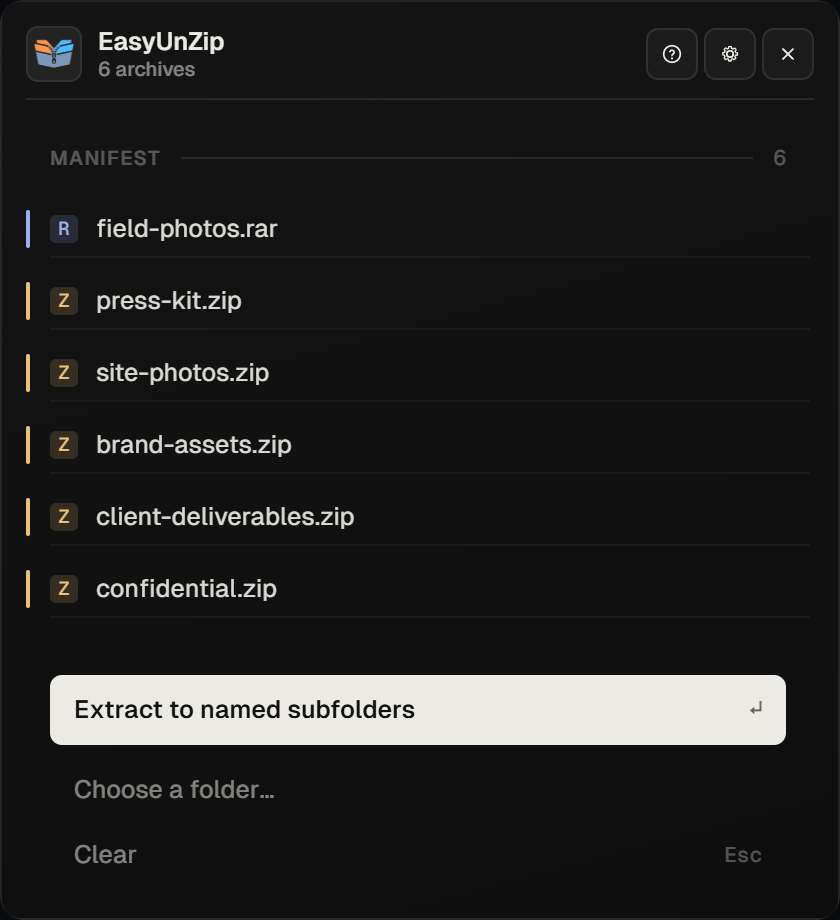
The panel lists every selected archive with a format tag. RAR rows are marked R; ZIP rows are marked Z. Choose the destination once for the job.
Enter a password if the RAR asks
Encrypted RAR files prompt once. The password stays in memory for the session and is never written to disk. File Explorer cannot open encrypted archives - Microsoft say so.
Extract on your PC
Files land in the folder you chose. Nothing is uploaded. Multi-part sets work when every volume sits in the same folder and you start from the first part.
When you need a RAR extractor on Windows
If Extract All already opens your unencrypted .rar on Windows 11, you may not need another app for that one file. A RAR extractor for Windows still helps when the archive is encrypted, when you are on Windows 10, when you want several RARs (or RAR and ZIP together) in one pass, or when you care where every file lands. EasyUnZip is that extractor - not an online upload tool, and not an archive creator.
ZIP included
The same panel opens ZIP. Formats are limited on purpose: ZIP and RAR only. See supported formats, the RAR on Windows 11 guide, and EasyUnZip vs WinRAR if you also create archives.
Common questions
Can Windows 11 extract RAR without EasyUnZip?
Updated Windows 11 can extract many unencrypted RAR files in File Explorer (including 22H2 and 23H2 with KB5031455, and 24H2). Encrypted RAR, Windows 10, batch destinations and filters still need a separate RAR extractor for Windows.
Does EasyUnZip create RAR archives?
No. It is extract-only under the unRAR restriction. Keep WinRAR or another tool if you need to make RAR files; EasyUnZip only opens them.
Is this a RAR extractor for Windows 10 as well as 11?
Yes. EasyUnZip runs on Windows 10 and 11. Windows 10 File Explorer has no native RAR support, so a dedicated extractor is the usual path there.
What about multi-part RAR files?
Keep every .partN.rar in one folder and open the first part. The engine reads the rest. Pointing a tool at a middle volume fails because the set description lives in part one.
How much does the RAR extractor cost?
14 days free, then $9.99 once for a lifetime key on up to three PCs. No subscription. ZIP extraction is included in the same licence.